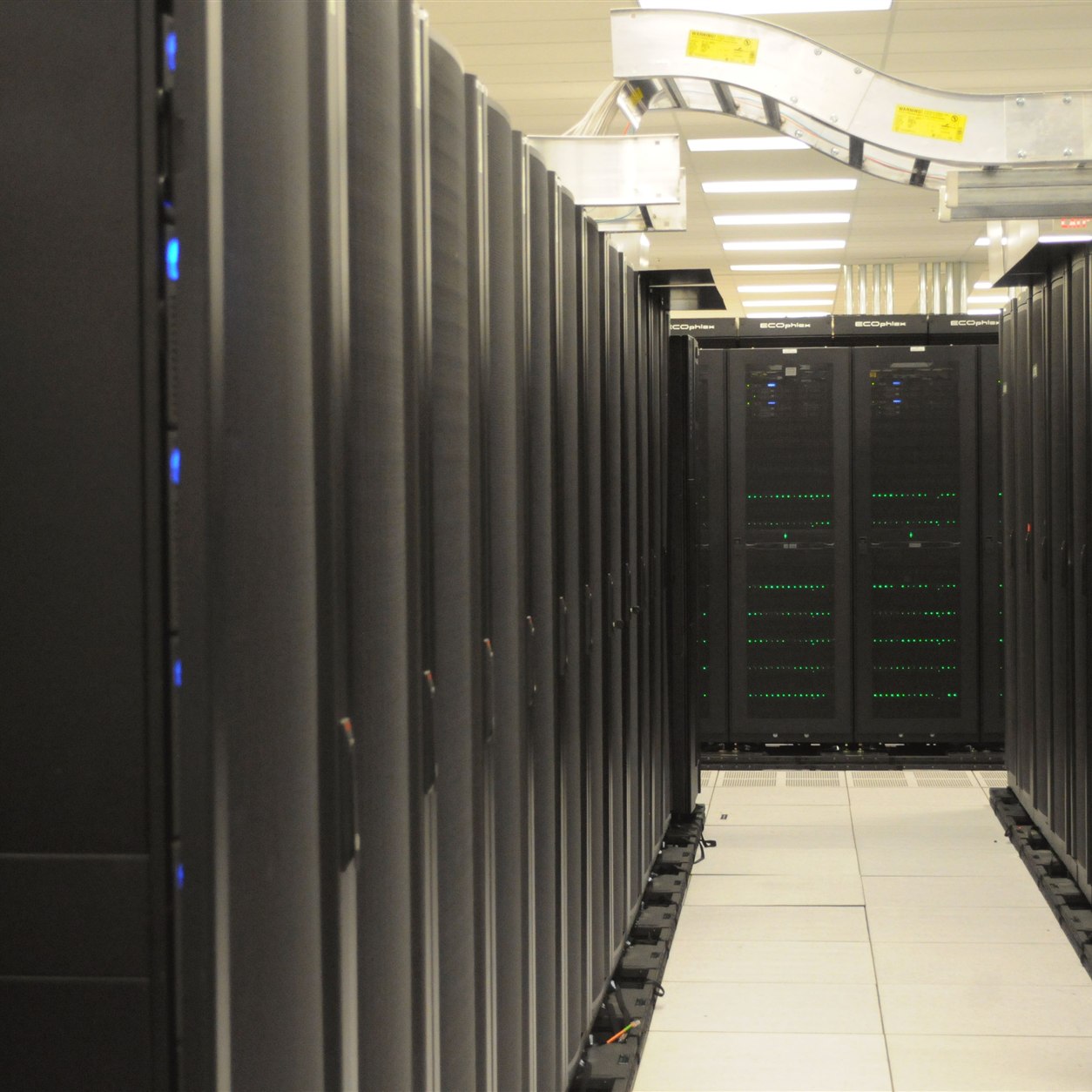
A server starts with a site, not a graphics card
When a company decides to keep an AI model inside its own environment, the discussion often begins with GPU memory and generation speed. But the purchased server must have a place to stand, receive power, release heat, survive brief outages, and remain available to staff without exposing its API to the entire internet. If those conditions are not checked, “local” deployment can turn into downtime and manual recovery just when AI becomes part of daily operations.
This is not an argument against owning a server. It can be sensible for confidential documents, steady demand, and direct control over data. It is an argument for checking the site before buying. The US Department of Energy's guide to energy-efficient data center design considers IT load together with airflow, cooling, and electrical systems: a device cannot be planned separately from its room. NVIDIA's DGX Station site-preparation guide is a concrete example of a manufacturer specifying power, ventilation, and environmental requirements. Its numerical values should not be copied to every workstation; they apply to the named product.
1. Start with the workload and acceptable downtime
Describe the task rather than an abstract “AI server”: how many documents are handled each day, how many employees use the service concurrently, whether there are overnight batches, and which actions cannot wait. Those facts determine the operating pattern and the cost of downtime. A drafting assistant may queue work until morning. For an operator answering a customer during a call, a few minutes of unavailability may already matter.
Separate interactive requests, batch RAG indexing, document recognition, and backups. They can compete for memory, storage, network capacity, and power. A one-user test with short prompts does not show what will happen when search and overnight PDF processing coincide. Before selecting hardware, measure at least approximate average and peak demand in a pilot, together with the required response time and recovery time.
The process owner must decide in advance what happens during an outage: staff continue manually, requests wait in a queue, or the application switches to another environment. This is a business decision, not a driver setting.
2. Power: the PSU rating is not actual consumption
Ask the system supplier to show the power draw of the whole configuration under a realistic maximum workload: GPU, CPU, drives, network, and associated equipment. Compare it with the capacity of the circuit, outlet, cable, power distribution unit, and UPS. Do not size the UPS solely by the wattage printed on the power supply. Schneider Electric notes that equipment nameplate ratings are often higher than actual power draw, while UPS runtime depends on the connected load and the specific unit. You therefore need a measurement or credible estimate for working and peak conditions, plus headroom.
A UPS is not always meant to provide hours of autonomy. Often its job is to allow in-flight requests to finish and the server to shut down cleanly when mains power fails. Test that its signal reaches the host and that the model service, search index, and task log stop without data damage. If the workflow requires continuity, one UPS is not enough: evaluate power, network, and service failover as well. Electrical installation and protection choices belong with qualified specialists.
3. Heat and airflow: the kilowatts remain in the room
Most of the energy a server consumes becomes heat that must be removed. A closed cabinet in a shared office, a dusty storeroom, or an installation against a wall may violate the requirements of the specific device. NVIDIA's documentation for one DGX Station configuration specifies ventilation clearance and environmental limits. It illustrates why you should read the manual for your exact hardware rather than borrow another machine's temperatures and distances.
Walk through the proposed location:
- Is there enough space for intake and exhaust airflow according to the manufacturer?
- What happens to room temperature on a hot day and after the office closes?
- Is there dust, moisture, leak risk, and room for maintenance?
- Where does warm air go, and can cooling handle the added load?
- How will overheating be detected before the service stops?
The US Department of Energy treats airflow, cooling, and electrical systems as connected parts of facility design. For a small office, this does not mean building a data center. It means measuring conditions and avoiding a room where the computing node's heat load cannot be managed.
4. Data, network, and access are not automatically secure
“The server is in our building” says nothing about who can call the model API, read RAG documents, or download a backup. Keep the service on an internal network, restrict access by role, separate test data from production, and log administrative actions. If an application reaches the model through a gateway, configure authentication and quotas there instead of relying on an obscure server address.
For RAG, review the whole data path: source storage, text extraction, index, query logs, prompts, and answers. Local generation does not help if documents or telemetry leave for an external service without an agreed rule. Back up more than model weights: source documents, access rules, index versions, configuration, and unfinished task queues are often more valuable.
Physical access matters too. Who can enter the room, remove a drive, attach a device, reset power, or change a cable? A small business can start with named owners, a locked space, and a maintenance procedure. An expensive rack is not a substitute for those rules.
5. Count operating cost, not just the box
Here is an illustrative calculation, not a market tariff. If the node and connected components consume an average of 1 kW and run continuously for 30 days, that is 720 kWh. At an assumed RUB 8 per kWh, direct electricity costs RUB 5,760 a month. This excludes cooling, UPS losses, network, room rent, component replacement, administration, downtime, and depreciation. Actual power varies with workload; measuring your own configuration matters more than this example.
Compare more than the price of buying versus renting a GPU. Calculate the full cost per correctly completed task for a local node and an existing protected environment or external service, if your data policy permits one. Include administrator time, reserves, downtime, and model updates. If the server sits idle for most of the day, cost per useful operation can be high even when electricity is cheap.
Nor is a second server automatically necessary. A workflow that tolerates delay may need only a manual fallback and a clearly stated recovery time. That may be inadequate for a critical online process. The appropriate backup follows from the harm caused by downtime, not from a generic fashion for high availability.
A checklist before placing the order
Ask the IT owner and process owner to sign off on five points:
1. Workload and response time have been measured on real tasks, including peaks and overnight batches.
2. Power, cables, ventilation clearance, and temperature have been checked for the exact configuration.
3. The UPS is sized for the connected load and required shutdown time; a power-loss test has been run.
4. Service ownership, access rules, backups, and recovery procedures are known.
5. There is a comparison of full cost per operation and a plan for human work during an outage.
If any point is unknown, the next sensible step is not a larger GPU purchase but a workload and site test on a temporary configuration. The decision to own a server will then rest on the actual workflow and facility, not an impressive line in a specification.