If the CRM has no API, do not start with an agent that can do everything
Small businesses often depend on software that exposes only a web interface: an older CRM, a supplier portal or an industry-specific service. An employee copies information from an email into a form, attaches a file and changes a status. It is tempting to give an AI system a login and ask it to work things out. That is a risky architecture: the model may misread a field, repeat an action after a timeout or receive broader permissions than the job requires.
It is more reliable to separate document understanding from execution. A local model can propose a structured service ticket, flag uncertain fields and present them to an employee. A narrow, tested adapter then writes to the system. If the product offers a supported API, that is the first option to assess. Browser automation is a fallback when an API is unavailable or does not cover the needed function, and only when the system owner's terms permit it.
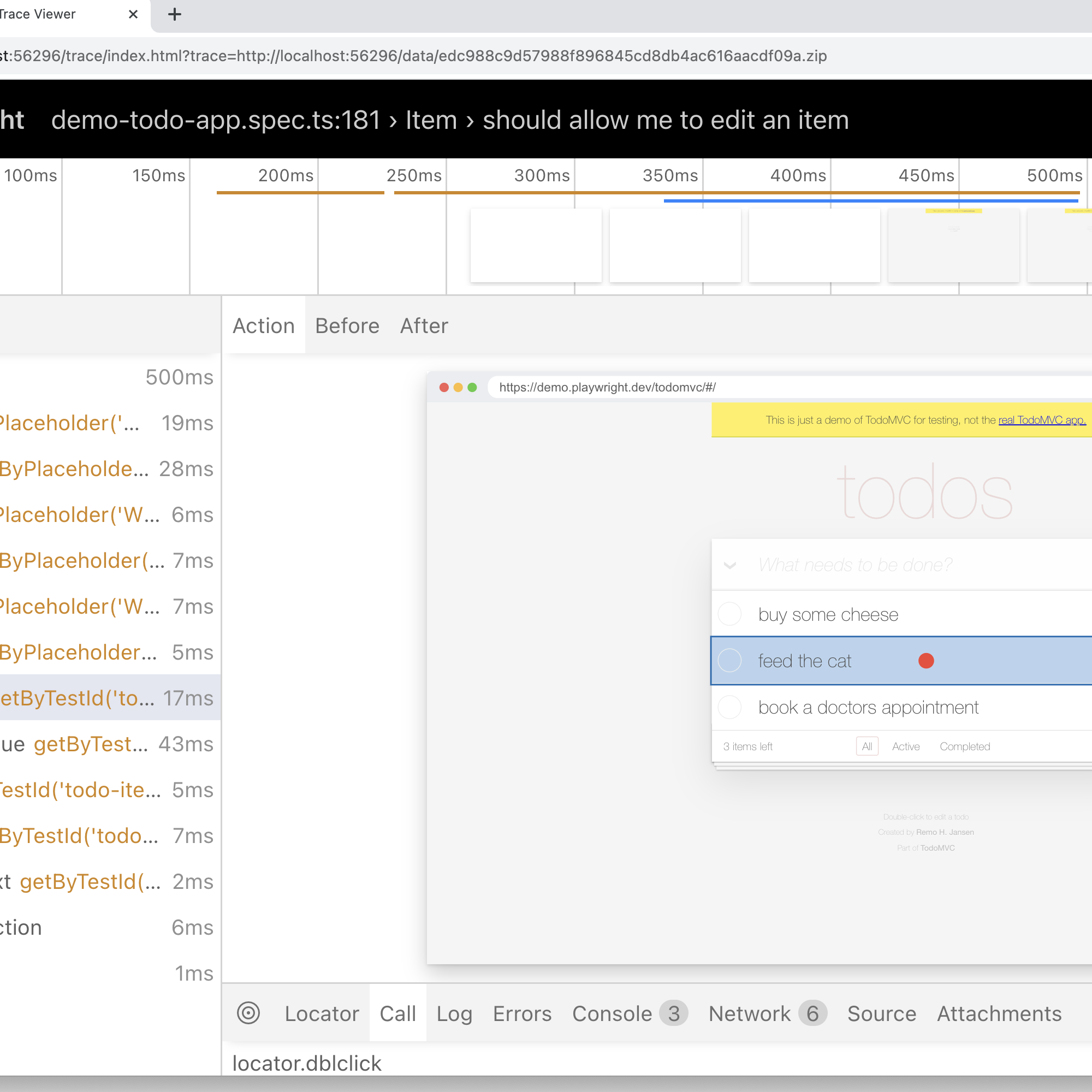
Playwright documentation explains the browser-adapter mechanics: locators can target user-facing roles and names, actions wait until elements are ready, and traces make it possible to inspect steps, page-state snapshots and network requests. Playwright documents these features primarily for testing. Applying them to a live business process is our architectural inference, not a vendor promise of error-free operations.
Draw a firm boundary between model and executor
Consider a company receiving repair requests by email. The same information can be expressed in many ways: address, equipment, urgency and contact details. A model can extract fields and compare them with an internal reference list. The eventual command must still be formal: create a ticket with specified fields, look up an existing ticket, or stop and ask for clarification. Free-form instructions such as 'click whatever looks right' should never reach the browser executor.
A workable system has these stages:
- An incoming email or document enters a controlled queue. The system gives it an internal identifier and records the version of the source data.
- A local model extracts fields into a fixed schema. Dates, telephone numbers, addresses and amounts undergo deterministic checks; unverified values remain blank.
- An employee approves the card when an operation changes business records, creates an obligation or affects a customer. The approval rule comes from the business, not the model's response text.
- An adapter uses a documented API or a constrained browser workflow. It knows the permitted pages, fields and actions, but cannot wander freely through the whole interface.
- After execution, the system reads the resulting ticket and compares it with the approved values. Only then is the job marked complete.
The language model does not need the CRM password or a delete button. OWASP describes excessive functionality, permissions and autonomy as sources of Excessive Agency risk. It recommends narrow tools, least privilege and human approval for significant actions. This matters especially when a browser session acts in the name of a real employee.
A successful click is not proof of a saved ticket
Browser automation is more fragile than a supported API: layouts change, confirmation dialogs appear, sessions expire and pages load slowly. Playwright recommends finding elements by roles and visible names rather than by incidental button positions or brittle CSS paths. Automatic waiting helps an action wait for a visible and enabled element; it does not verify the business outcome.
The most expensive failure is a retry after an uncertain result. If Save was clicked and the operation then timed out, clicking again may create a duplicate. Before retrying, the adapter should search by a stable external identifier and compare the existing record's contents. If the CRM supports a client-supplied ticket key, use it. If not, maintain a mapping table on your side and route conflicts to a person. Without this step, bulk browser writes are unsafe.
The operational log should record the incoming-event ID, approved fields, workflow version, verification result and reason for stopping. Playwright traces help diagnose failure by showing the sequence of actions, DOM snapshots and network traffic. However, traces themselves can contain customer information. Playwright also warns that saved authentication state may contain sensitive cookies and headers that let someone impersonate a user. Sessions and traces therefore need access controls, retention limits and a deletion process; they should not be sent to a general chat or committed to a public repository.
When the browser route is unsuitable
Defer this approach if the product prohibits automated access, requires interactive human verification, changes its interface unpredictably or offers no reliable way to establish whether a write succeeded. The same caution applies to bulk irreversible actions. Payments, order cancellations, customer deletion and permission changes need an official integration or tightly controlled human execution.
A smarter model does not fix the absence of an API. It cannot remove a service's terms of use, rate limits, session blocks or the need to identify duplicates. Sometimes it is cheaper to keep the final screen in human hands and use AI only to prepare a draft and identify inconsistencies. That is still useful automation, with a much smaller error cost.
Estimate a pilot without imaginary savings
Start with one operation and 20–30 real, de-identified examples. Measure manual handling time, the share of cards that need correction, duplicate count and recovery time after a failure. Next, run the adapter in shadow mode: it proposes fields and actions while an employee performs the operation. Only then permit a limited set of approved writes.
The following calculation is illustrative, not a reported company result. If 500 requests arrive each week and draft preparation saves one minute per request, the theoretical maximum is about 8.3 hours. Subtract review, exceptions, workflow maintenance and downtime. If one in five cards takes three minutes to correct, that alone consumes another five hours and sharply reduces the net gain. Your company's numbers will differ; use the actual workload rather than a vendor demonstration.
The next management step is to ask the IT owner to show one complete pilot trace: from the source email to a verified CRM entry and safe recovery from a timeout. If the team cannot explain how it prevents duplicates and who approves a write, it is too early to expand automation. Local models, APIs and browsers are not rivals here: each has a limited role.